
Remote access has become a central part of modern surveillance. Homeowners, property managers, and businesses across Calgary rely on connected camera systems to stay informed from anywhere. When remote viewing is set up correctly, users can check live footage, review recordings, manage storage, and receive alerts in real time. This guide explains how remote monitoring works, the tools involved, and how to build a reliable setup that supports everyday security needs.
Security cameratechnology has changed significantly in recent years, providing improved clarity, smart notifications, and flexible storage solutions. The combination of internet connectivity and feature-rich applications gives users more confidence and visibility. This comprehensive guide explores everything needed to monitor CCTV remotely Calgary users depend on, from initial setup to mobile app selection and cloud storage considerations.
What Remote Security Camera Monitoring Means
Remote monitoring allows you to access your camera system from anywhere using a mobile application or viewing platform. It connects your cameras and recorder to the internet so you can see live or recorded video without being physically present at the site.
Remote viewing offers several helpful functions:
- Live camera streaming
- Multi-camera layouts
- Playback and searching
- Activity notifications and alerts
- Cloud storage access
- System health checks
Live camera streaming
Multi-camera layouts
Playback and searching
Activity notifications and alerts
Cloud storage access
System health checks
Remote access is designed for convenience and constant awareness. It helps homeowners feel connected to their property and allows businesses to maintain consistent oversight.
How Remote Monitoring Works
To use remote viewing, a camera system must communicate through a secure internet connection. The process involves coordinated hardware and software components working together.
Essential Components for Remote Access
Together, these components allow Calgary users to monitor CCTV remotely anywhere in the world once the system is configured.
Why Remote Security Monitoring is Valuable
Remote monitoring supports several practical benefits for users, property owners and organizations that manage multiple sites, especially when systems are structured through solutions provided byCave Integration.
Instant Visibility and Convenience
You can check your system anytime without relying on on-site screens or manual inspections. This provides flexibility when traveling or commuting, enhancing your ability to monitor CCTV remotely Calgary.
Real-Time Alerts
Smart detection tools instantly notify you whenever activity occurs. You can choose the specificalertsyou want, such as motion, dwell time, or line crossing.
Efficient Evidence Review
You can access recordings directly through the mobile app. Searching for a specific moment becomes easier using time filters or event tags.
Multi-Property Oversight
Remote viewing lets you monitor different locations using a single login. Businesses often find this valuable for consistent site supervision across multiple sites.
Flexible Storage Options
Cloud storage supports access to past recordings without physical hardware checks. It keeps data accessible across devices, enhancing flexibility.
Remote monitoring complements both residential systems and larger commercial setups.
Steps to Set Up Remote Viewing for Your System
Setting up remote access involves structured steps. When completed correctly, users experience stable, secure, and reliable viewing.
1. Connect Cameras to the Network
Cameras must be connected to your router through WiFi or wired Ethernet. Wired connections often provide steady performance, especially for high-resolution systems.
2. Configure the Recorder
Open the network settings on your NVR or DVR. The recorder generates a device ID, which links the system to your mobile app account. The system should show a short description confirming that it is online.
3. Create an Account in the Mobile App
Install the recommended application and create a secure account. The account allows you to manage devices, adjust settings, and access your footage remotely.
4. Scan the Code for Pairing
Most systems include a code (often a QR code) printed on the recorder or displayed in settings. Scanning it with your mobile app instantly pairs your system to your device for remote viewing.
5. Test Remote Access
Test the following features to ensure functionality:
- Live view
- Playback
- Multi-channel layouts
- Notifications/Alerts
- Cloud storage access
Live view
Playback
Multi-channel layouts
Notifications/Alerts
Cloud storage access
Testing on both WiFi and mobile data is often recommended to ensure consistent access across different networks.
Popular App Features for Remote Monitoring
Different mobile applications offer a wide range of tools that enhance usability. Understanding these features helps you choose the best viewing experience for your needs when youmonitor CCTV remotely Calgary.
Key Mobile App Functions
These features create a convenient and organized remote viewing experience.
Understanding Cloud Storage for Security Systems
Cloud storage has become a popular option for Calgary users seeking flexible access to past recordings. It provides flexibility and a complementary option to local storage.
Recordings are uploaded to a secure online server that you can access through your mobile app. Users can view and manage footage directly from their devices without interacting with physical hardware.
Benefits of Cloud Storage
- Remote viewing access to recordings anytime
- Organized and searchable video playback
- Ability to store important footage separately
- Secure account-based access
- Flexible upgrade paths for storage needs
Remote viewing access to recordings anytime
Organized and searchable video playback
Ability to store important footage separately
Secure account-based access
Flexible upgrade paths for storage needs
Cloud storage works well alongside NVR or DVR recording, giving users multiple access points for their footage.
Placement and Positioning for Effective Monitoring
To get the most out of remote viewing, camera placement matters. Proper positioning ensures clear visibility and reliable alerts.
Helpful Positioning Guidelines
- Front Entry Points:Place cameras near front doors, walkways, and main entrances to capture activity clearly.
- Backyard and Side Areas:These locations provide visibility around the property and are important for monitoring access routes.
- Indoor High Traffic Areas:Hallways and living spaces help track movement inside the property when needed.
- Exterior Lighting:Good lighting helps improve image clarity during low-light conditions, which is crucial for clear remote viewing.
- Consistent Camera Height:A height of eight to ten feet generally offers a balanced view and supports accurate motion detection.
Front Entry Points:Place cameras near front doors, walkways, and main entrances to capture activity clearly.
Backyard and Side Areas:These locations provide visibility around the property and are important for monitoring access routes.
Indoor High Traffic Areas:Hallways and living spaces help track movement inside the property when needed.
Exterior Lighting:Good lighting helps improve image clarity during low-light conditions, which is crucial for clear remote viewing.
Consistent Camera Height:A height of eight to ten feet generally offers a balanced view and supports accurate motion detection.
Camera placement influences remote viewing clarity and alert precision when you monitor CCTV remotely Calgary.
Best Practices for Stable Remote Access
Reliability is essential when accessing cameras from different locations. The following practices keep your system performing smoothly.
- Use Secure Passwords:Choose strong passwords that combine letters, numbers, and symbols.
- Keep System Software Updated:Manufacturers release updates that enhance performance, improve compatibility, and add new features.
- Maintain Reliable Internet:A consistent connection helps support smooth streaming, especially when viewing multiple camera feeds.
- Use Structured Storage Options:Using a combination of local and cloud storage creates flexible access for both live and recorded footage.
- Enable Access Permissions Carefully:If you share camera access, set clear permissions to control which features they can use.
Use Secure Passwords:Choose strong passwords that combine letters, numbers, and symbols.
Keep System Software Updated:Manufacturers release updates that enhance performance, improve compatibility, and add new features.
Maintain Reliable Internet:A consistent connection helps support smooth streaming, especially when viewing multiple camera feeds.
Use Structured Storage Options:Using a combination of local and cloud storage creates flexible access for both live and recorded footage.
Enable Access Permissions Carefully:If you share camera access, set clear permissions to control which features they can use.
These practices help support a dependable remote viewing setup across various devices.
Integrating Remote Access with Smart Home Platforms
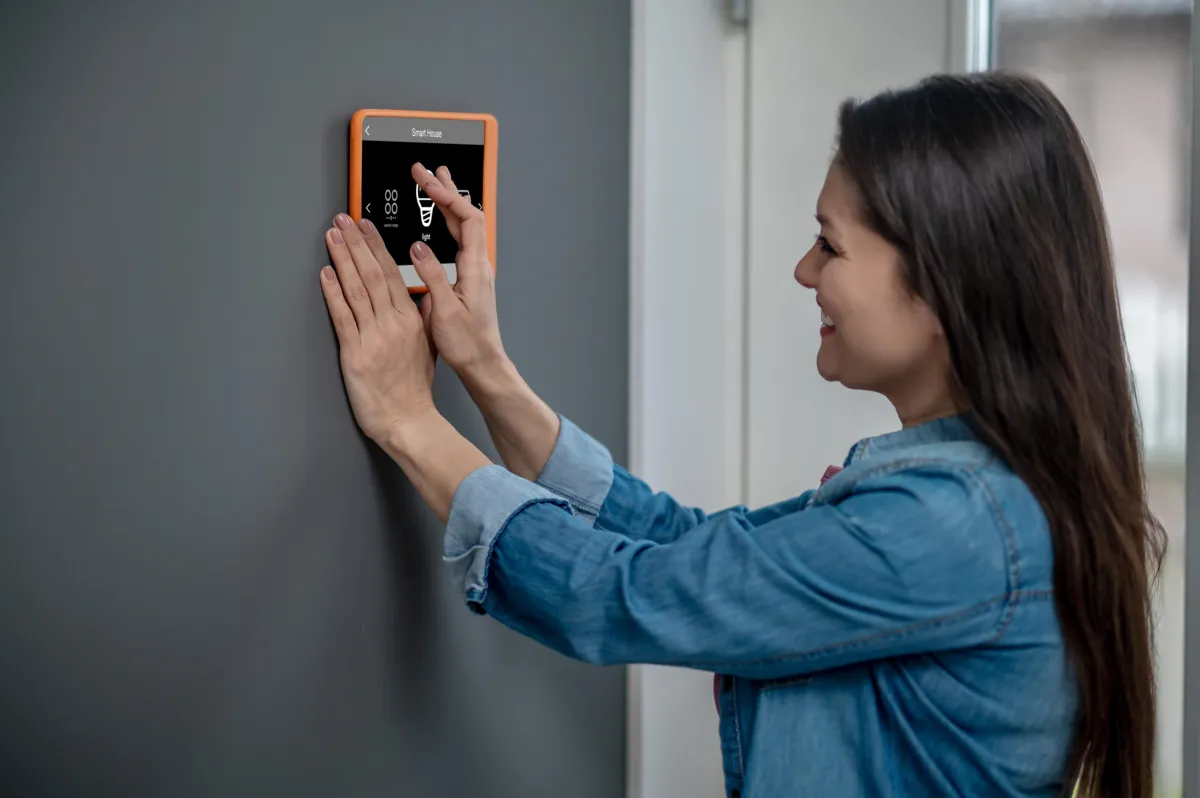
Smart home platforms allow users to manage multiple systems from one interface. Integrating your cameras with these platforms can provide streamlined control.
- Centralized Access:You can view cameras alongside lighting, audio, climate, and security components within the same control panel.
- System Automations:Smart home routines may turn on lights when cameras detect movement or send additional notifications during scheduled hours.
- Voice Assistant Compatibility:Some systems allow live viewing directly on smart displays for added convenience.
Centralized Access:You can view cameras alongside lighting, audio, climate, and security components within the same control panel.
System Automations:Smart home routines may turn on lights when cameras detect movement or send additional notifications during scheduled hours.
Voice Assistant Compatibility:Some systems allow live viewing directly on smart displays for added convenience.
As smart home technology continues to grow, remote viewing tools integrate smoothly with other connected components to enhance overall usability.
Final Thought
Remote security camera monitoring provides consistent visibility and convenient access across different devices. By combining professional installation, high-quality mobile apps, cloud storage, and strategic camera positioning, Calgary homeowners and businesses can achieve a dependable view of their properties. Proper configuration enables essential tools like smart alerts, flexible playback, and multi-location layouts, all supporting a secure and organized monitoring experience that allows you to monitor CCTV remotely Calgary and maintain complete peace of mind and constant awareness. Ready to enhance your property's security with reliable remote monitoring?Contact ustoday to discuss your setup needs.
Frequently Asked Questions
How do I monitor my cameras when I am away from home?
You can use a mobile app connected to your camera system. After setup, the app
allows you to view live footage, check notifications, and review recordings from
any location with internet access. This provides consistent awareness even when
you are off site.
Do I need cloud storage to use remote viewing?
Cloud storage is optional, but it enhances accessibility. It allows you to review
past recordings from any device without depending solely on your local recorder.
Many users prefer combining local storage with cloud access for added flexibility.
Can multiple users access the same security camera system remotely?
Yes. Many mobile apps allow shared access so families, coworkers, or management
teams can view the same cameras. Permissions can be adjusted to control what each
user can see or manage, helping maintain organized oversight.
What features should I look for in a mobile app?
A reliable app should support remote viewing, smart alerts, playback filters,
cloud storage access, and activity zone customization. These tools help you stay
informed, organize footage, and receive only the alerts that matter most.
Does camera placement matter for remote viewing quality?
Camera placement greatly influences image clarity and detection accuracy. Clear
sightlines, proper lighting, and an appropriate mounting height help the camera
capture detailed footage, resulting in better visibility when viewing recordings
remotely.
Originally published at caveintegration.ca
Ready to Upgrade Your AV System?
Get expert advice from our team on the best solutions for your needs.
Book Free Consultation